Engine
Console
The interface I use every day to work with the federation and each of its domains, on my laptop and on my phone.
The console is a living application, not a screen I wait on. I ask questions and start work in Chat, approve what the domains propose, see what changed while I was away, and work inside the apps built for each domain, from Health to Finance.
It is the first application in AlanOS and the reference for the ones that follow. It is a web app I have installed on my phone, reached only over my own private network.
What it shows
- Today
- My day first, from the domains' own figures, then what needs me and what I said I would do. The federation's own state comes last.
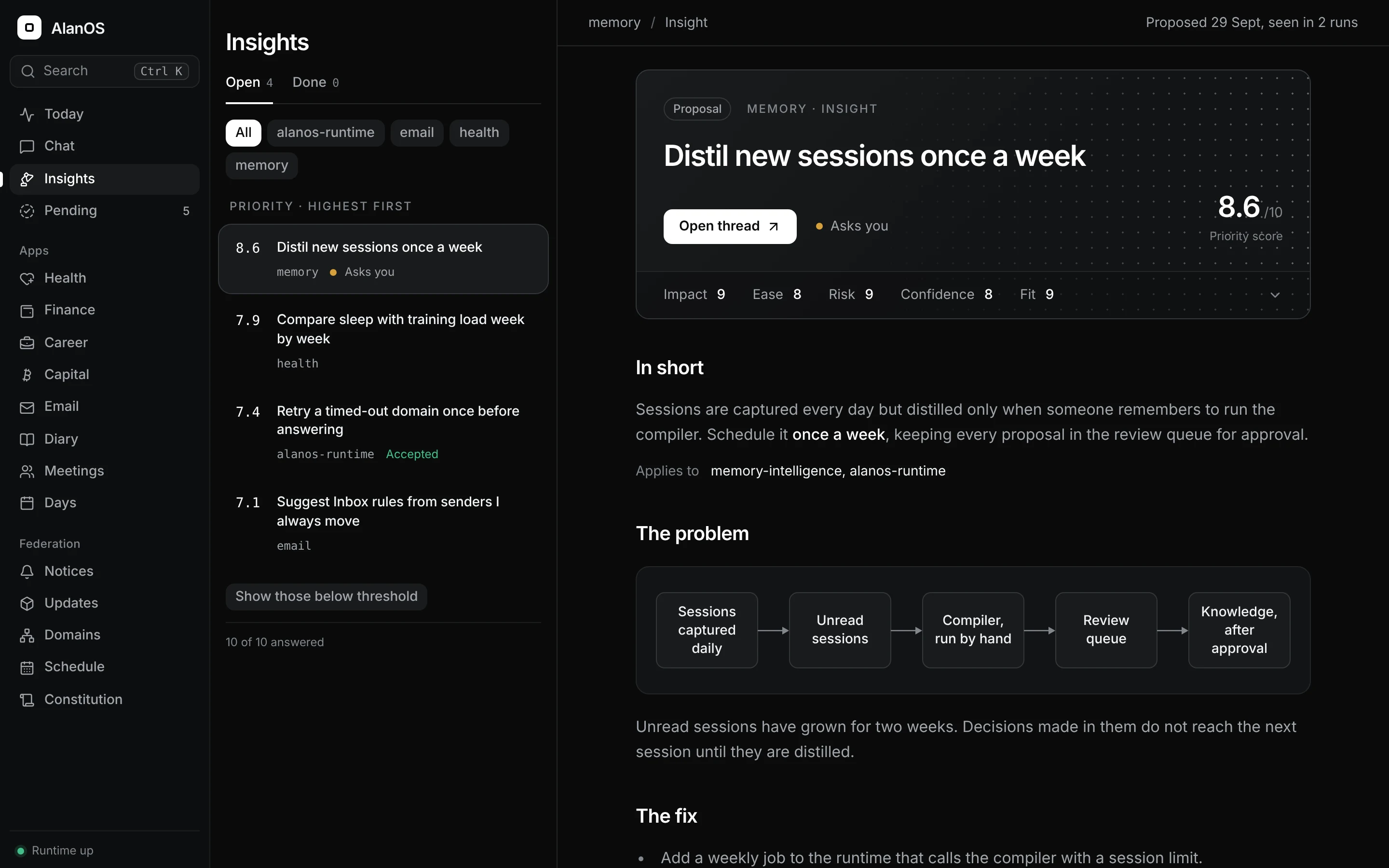
- Pending and Insights
- What waits on my approval, and the improvements each domain proposes, ranked and scored with a reason behind every score. I accept or reject them here.
- Chat
- Ask a question or give a task. Answers stream in with the tool calls they used, and a task becomes a work thread an agent carries out.
- Updates and Schedule
- What has moved underneath each repository, the scheduled runs and how each one went. A dependency fix can be handed straight to an agent.
- Domains and Constitution
- What each domain declares against what it actually reports, and the constitution at any version with what each amendment changed.
- Command palette
- One shortcut to reach any screen, chat, insight or clause, or to hand what I typed to Chat.
The rules it follows
- The domain computes, the runtime carries, the app renders
- The console holds no knowledge and makes no decisions. Destroying it loses nothing.
- One way out of the browser
- It talks to the runtime's API and nothing else: no domain files, no command lines, no third-party hosts, no analytics.
- Apps live inside it, code lives apart
- Domain apps such as Health and Career open from the console without feeling like separate products, while each keeps its own code. A written application contract says how an app joins.
- Quiet by design
- One dark theme, monochrome, with colour kept for status. It is built for one person, so there are no instructional captions.
How it was built
It is built with Vite, React, Tailwind CSS and shadcn/ui, and installs as a web app. Almost every screen started as a short proposal and a mockup I chose from, then I built it and refined it by using it. Behavioural tests check what each screen shows and does.
It talks only to the runtime, and its Chat writes every turn to Memory.
Where it goes next
More domain apps, and Chat able to do anything a coding session can do, inside the same sandbox.
The console is the one part of AlanOS I look at every day. It is also the proof that the rules hold: everything it shows came through the runtime, from a domain that owns it.